
数据删除说明
Instructions for Deleting Magicabin Data
Detailed Steps and Precautions
Open the "Magicabin" app and login to the game.

On the upper right toolbar of the game interface, click the "Settings" button to enter the settings interface.

Enter the "About Game" interface, then click the "Red Delete" button to start the data deletion process.
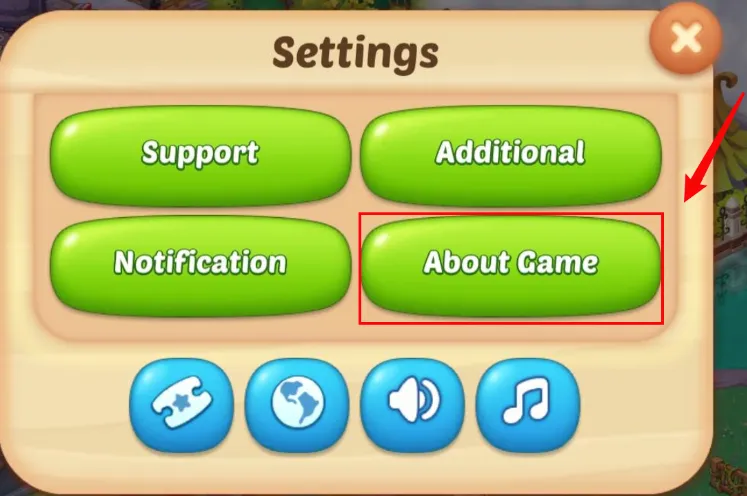
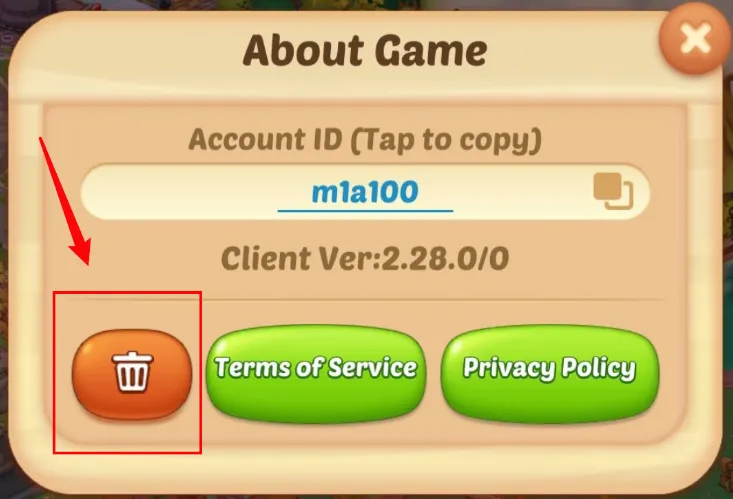
Confirm that the data is about to be deleted and select the main reason for your data deletion.
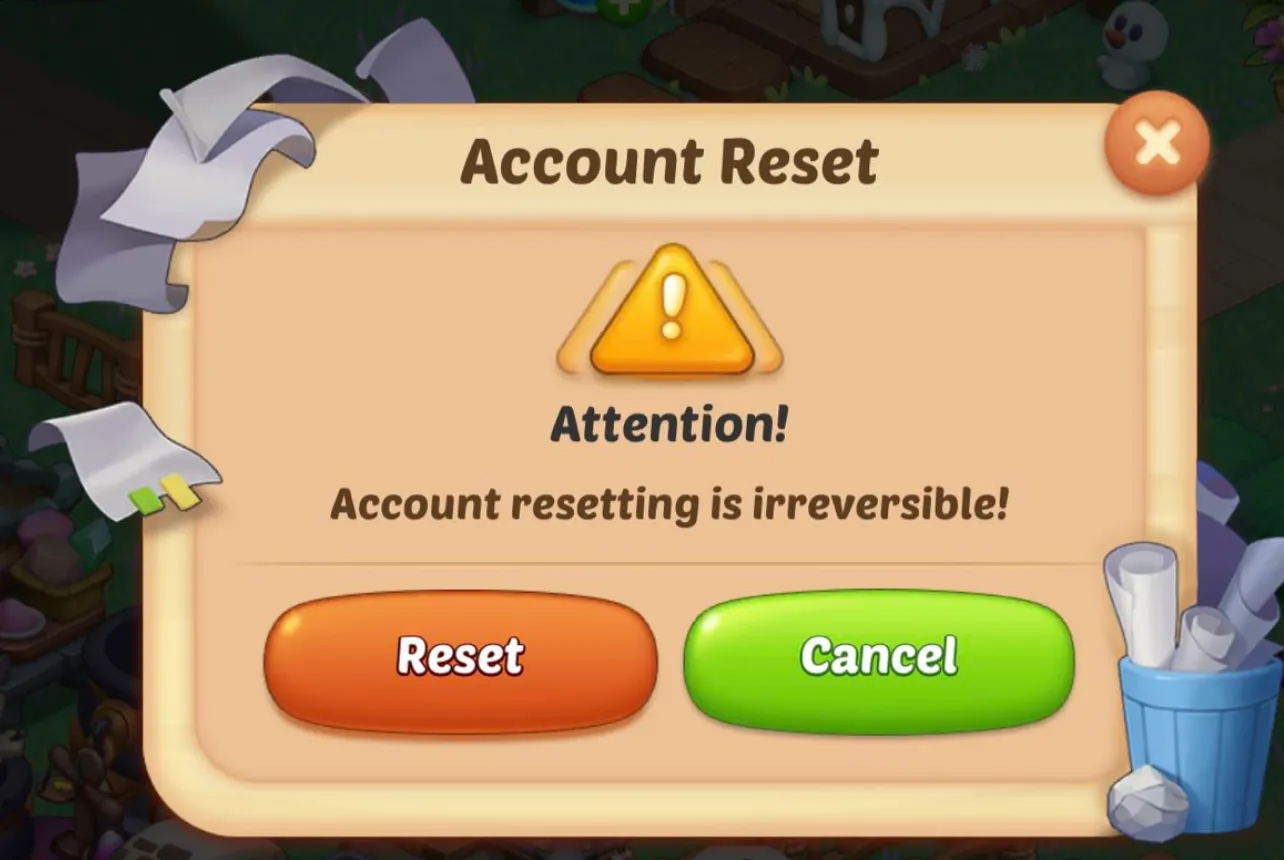
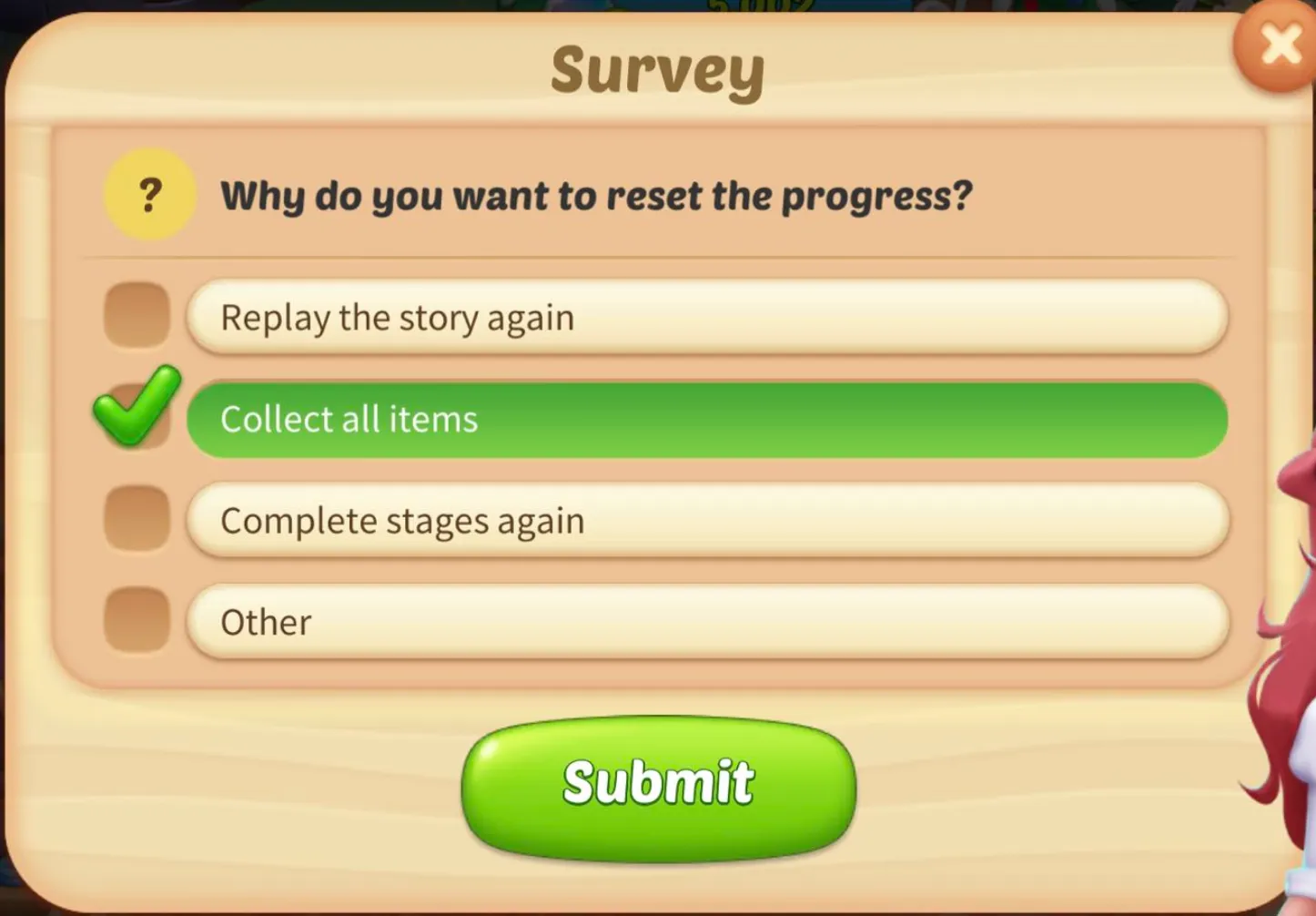
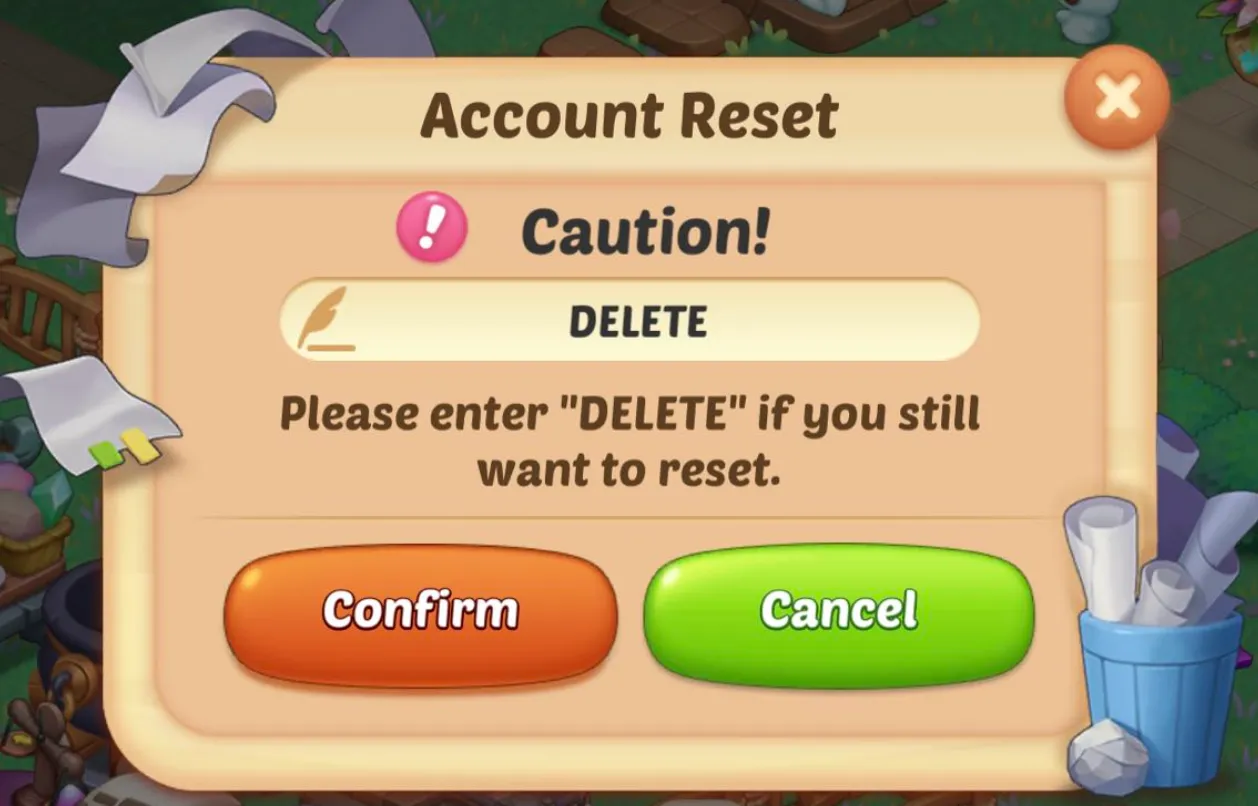
Enter "DELETE" and click "Confirm", then the data deletion is successful!

Data Deletion Instruction Table
| Category | Data type | Description | Delete/Remain |
|---|---|---|---|
| Personal info | User IDs | Identifiers that relate to an identifiable person. For example, an account ID, account number, or account name. | Delete |
| App activity | App interactions | Information about how a user interacts with the app. For example, the number of times they visit a page or sections they tap on. | Delete |
| Other user-generated content | Any other user-generated content not listed here, or in any other section. For example, user bios, notes, or open-ended responses. | Delete | |
| Other actions | Any other user activity or actions in-app not listed here such as gameplay, likes, and dialog options. | Delete | |
| App info and performance | Crash logs | Crash log data from your app. For example, the number of times your app has crashed, stack traces, or other information directly related to a crash. | Delete |
| Diagnostics | Information about the performance of your app. For example battery life, loading time, latency, framerate, or any technical diagnostics. | Delete | |
| Device or other IDs | Device or other IDs | Identifiers that relate to an individual device, browser or app. For example, an IMEI number, MAC address, Widevine Device ID, Firebase installation ID, or advertising identifier. | Delete |